Types of Clouds services
Hi, I'm Uma Krishna. I'm here talk about AWS Cloud Computing.
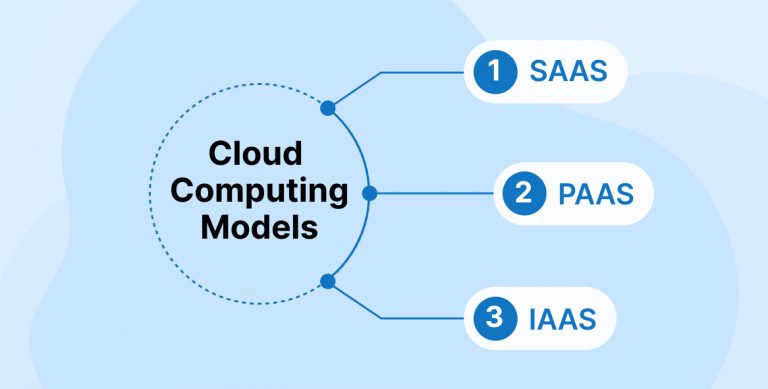
There are three main types of cloud services:
Infrastructure as a Service (IaaS).
Platform as a Service (PaaS).
Software as a Service (SaaS).
IaaS: It allows users or developers to rent servers, storage, operating systems from the cloud provider. This is what amazon used to do at the beginning, now they are renting the AWS services. For example when you went to Kenya (Maasai Mara) for vacation and rent a vehicle, when the vehicle has effected by any technical problems you need to handover the vehicle back to travels department they will replace with other one. It’s not up to you to resolve the technical issue of the vehicle.
PaaS: you don’t just get access to the infrastructure, the provider will also manage the number of machines needed for your application to work correctly based on differing volumes of traffic. You also have access to features such as databases, cache servers, email servers and so on. let’s go back to our Kenya trip with a group of friends. With PaaS, you won’t be renting vehicles directly with the rental company. You’ll be using the services of a person whose job it is to check that the trip is all running smoothly. Let’s call this person the concierge. If three new friends join you along the way, the concierge will notice this and will rent a second vehicle without waiting to be asked. If 20 new friends want to join in with the road trip all at once, the concierge will replace the small vehicle like car with a bigger vehicle like bus that will be chartered especially for you. This is exactly what a PaaS service like AWS provides. It checks that the visitors to your site will have the best experience. Servers are added or withdrawn based on traffic. You could even ask for refreshments if you were thirsty!
SaaS: A method for delivering software applications over the internet, where the cloud provider hosts and manages the software. You are given access to a software application as a service. Previously, you would have had to install the software on your own machine (e.g., Microsoft Office). These days, a lot of software is available as a web application (which is essentially a supercharged website). You just need to go to a web address and you can use it (e.g., Microsoft Office 365, Google Workspace, etc.).
AWS Provides IaaS, PaaS and SaaS.
All of these cloud service types provide different levels of service. Just like programming languages, some services are “low level” (closer to the machine code) and others are “high level” (abstract concepts that are further away from the machine functionality).

When do we need to use Cloud?
It’s tour choice, here are few factors that will help you make objective decision if you’re not sure whether to launch on a PaaS platform like AWS: Mostly you can you use cloud for free. In AWS you can use the service free of charge for one year if you don’t use many resources. You should be able to take part in this course without paying.
If your website traffic increases, you don’t need to do anything. The site will automatically use more servers (the charges will be pay-as-you-go model).
You won’t need to deal with any low-level technical problems, such as loss of a hard disk or even a whole server. All of this is invisible to you.
You’ll be able to make use of some really useful features without having to install and maintain a database server, email server and so on. Basically, you’ll save time on your own deployments.
To ensure your site functions effectively within the constraints and features of your PaaS, you'll need to make certain adaptations. There are specific guidelines to follow when developing your application. For instance, you should not store your files on the same server as your website. Instead, use a file storage service to store them on separate servers. You might need to recode a bit or all of your website so that it can work on PaaS. Technical errors are rare but can be catch up. Make sure you have SLAs (Service Level Agreements) in place you have a financial guarantee that your website will work correctly. If your website is crucial for your business SLAs means the provider has to pay penalty if your site dosen’t work for period of time or it’s their fault.
The “pay-as-you-go” concept is one of the fundamental promises offered by the cloud. You only pay for the resources you actually use. Instead of paying to rent a virtual server for a whole year whether you use it or not, with cloud services, you pay by the second or hour while your server is using resources.
Cloud Providers
Amazon (AWS) may be the first one to launch cloud services. But soon the others followed.
Azure (Microsoft). Google Cloud Platform (GCP). IBM.
But Amazon has been dominating the cloud computing market since the very beginning. Google, Microsoft and IBM have a smaller market share but are experiencing stronger growth. They also provide many interesting services. But, can’t compete when it comes to diversity of services. It’s clear that AWS is making the most of the fact that it was the first on the market, continuing to innovate to provide new services.
Let’s us dive into some AWS services. The top product categories are:

Let’s see examples for each category with example: EC2: Elastic Compute Cloud
This service manages servers as virtual machines in the cloud. Essentially, you can launch these servers and do exactly what you want with them. You also have access to them via command line, so you can manage them remotely.

This is IaaS (Infrastructure as a Service). We could dedicate a number of full courses to this service alone. Simple Storage Service S3: Amazon S3 (Simple Storage Service) is a service that enables you to store and distribute files. It’s kind of like a low-cost file warehouse where your data is guaranteed not to get lost. Use it to upload files to your site or store images

RDS: Relational Database Service This enables you to manage databases stored in the cloud. This means that you have access to a preconfigured database server. Unlike EC2, you don’t have access to the command line, and that’s deliberate. It means that you can focus on using the database. Amazon is responsible for looking after server management for you (e.g., security updates and backups). This might not seem like much, but it can be a time saver.

IAM: Identity and Access Management AWS IAM (Identity and Access Management) is the gold standard in security services. This is where we can define access rules for AWS service users. If you want to grant permission to your accountant to download an invoice but not to power down the servers, this is the service you’d use.

Amazon Bedrock Amazon Bedrock is a fully managed service that offers a choice of high-performing foundation models (FMs) from leading AI companies like AI21 Labs, Anthropic, Cohere, Meta, Mistral AI, Stability AI, and Amazon through a single API, along with a broad set of capabilities you need to build generative AI applications with security, privacy, and responsible AI.

QuickSight Amazon QuickSight powers data-driven organizations with unified business intelligence (BI) at hyperscale. With QuickSight, all users can meet varying analytic needs from the same source of truth through modern interactive dashboards, pixel-perfect reports, natural language queries and embedded analytics. With Amazon Q in QuickSight, business analysts and business users can use natural language to build, discover, and share meaningful insights in seconds, turning insights into impacts faster

Amazon Virtual Private Cloud Amazon VPC gives you full control over your virtual networking environment, including resource placement, connectivity, and security. Get started by setting up your VPC in the AWS service console. Next, add resources to it such as Amazon Elastic Compute Cloud (EC2) and Amazon Relational Database Service (RDS) instances. Finally, define how your VPCs communicate with each other across accounts, Availability Zones, or AWS Regions.

There were n services that can be chosen based on your application requirements like computing power, storage and network specifications based on pay-as-you-go model.
In conclusion, cloud services have revolutionized the way businesses and individuals manage their computing needs. The three main types of cloud services—Infrastructure as a Service (IaaS), Platform as a Service (PaaS), and Software as a Service (SaaS)—offer varying levels of control, flexibility, and management. IaaS provides the foundational infrastructure, allowing users to rent servers and storage. PaaS offers a managed environment for application development, scaling resources automatically based on demand. SaaS delivers software applications over the internet, simplifying access and management.
Cloud providers like Amazon Web Services (AWS), Microsoft Azure, Google Cloud Platform (GCP), and IBM offer a wide range of services to cater to different needs. AWS, being a pioneer in the cloud market, continues to lead with its diverse offerings and innovative solutions. The pay-as-you-go model ensures cost-effectiveness, allowing users to pay only for the resources they consume.
Ultimately, the choice to use cloud services depends on factors such as scalability, cost, and the level of technical management desired. With the right cloud service, businesses can enhance their operations, improve efficiency, and focus on their core objectives without worrying about underlying infrastructure challenges.
